Weekly Review: A 15-Minute Checklist You Can Run in Notion
A weekly review is one appointment with yourself where you clear what is open and choose what is next. Without it, tasks pile up, notes stay in the inbox and Monday starts with a fog. With it, you spend about 15 to 20 minutes and the rest of the week runs on fewer decisions. The checklist below works on paper or in any app, and the second half shows how to set it up in Notion.
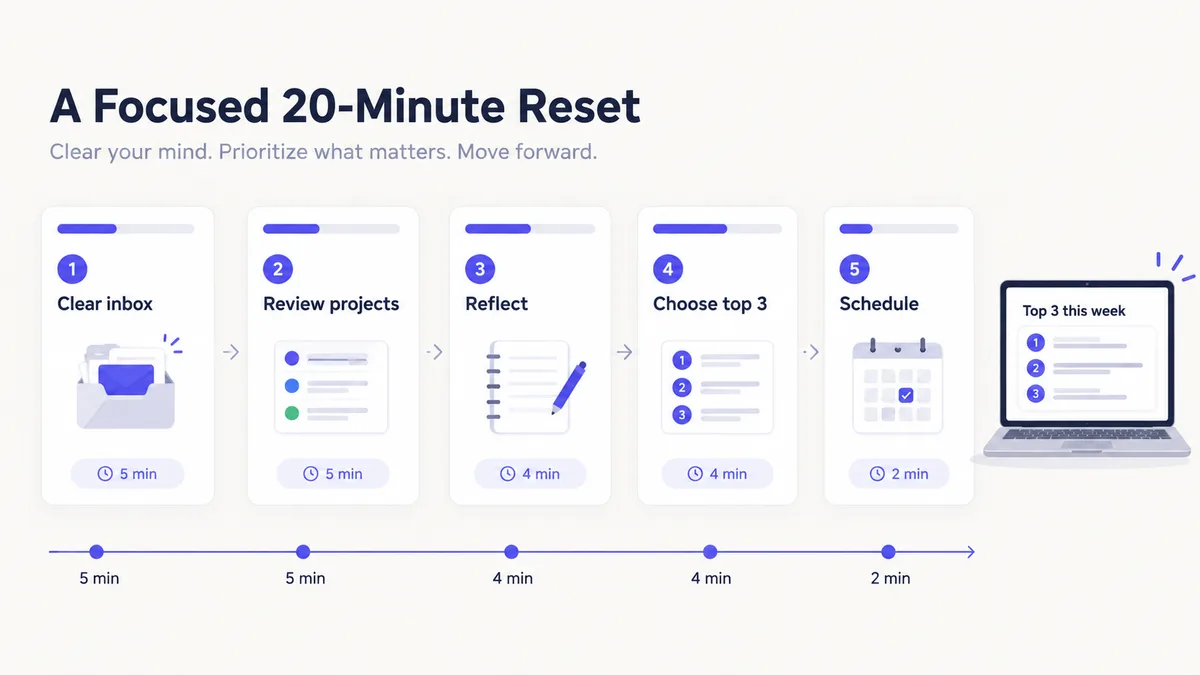
The five-step weekly review checklist
| # | Step | Time | The question |
|---|---|---|---|
| 1 | Capture and clear | 5 min | What is still floating in my head, inbox and notes? |
| 2 | Review the week | 5 min | What actually happened, and what is still open? |
| 3 | Reflect | 4 min | What did I learn and what will I change? |
| 4 | Choose | 4 min | What are the three things that matter most next week? |
| 5 | Schedule | 2 min | When exactly will each of them happen? |
(That adds up to 20; it can run shorter when the inbox is already empty.)
Step 1: Capture and clear
Empty every inbox: notes without a project, loose messages you meant to act on, paper scraps. For each item decide one of three things: turn it into a task, file it under a project or area, or delete it. Do not read in depth; sort.
Step 2: Review the week
Look at last week's tasks and mark what is done. Look at your active projects and ask of each: what is the next action? If you cannot name one, the project is stuck. Write the next action as a task, or move the project to on hold.
Also glance at the calendar for the coming week. Meetings and deadlines should shape what you choose in step 4.
Step 3: Reflect
Write a short entry with three parts:
- Wins: one or two things that went well.
- Lesson: one thing you learned or would do differently.
- Score: a number from one to five for how the week went.
Short is better. The score matters because after a few weeks you can see a pattern, such as low scores on weeks with no focus tasks.
Step 4: Choose
Pick no more than three tasks as next week's focus. Three is a rule, not a suggestion: a focus list of ten is just a task list. If you want a reason to say no to a new request, this is it.
Step 5: Schedule
Put each focus task onto the calendar at a specific time. A task with a time slot is much more likely to happen than one that is "this week".
Questions worth asking
If you want prompts beyond the basics, rotate a few:
- What drained my energy this week and what gave it back?
- What did I avoid, and why?
- What am I tolerating that I should fix?
- Which project moved the most and which moved the least?
- What will I stop doing next week?
Set it up in Notion
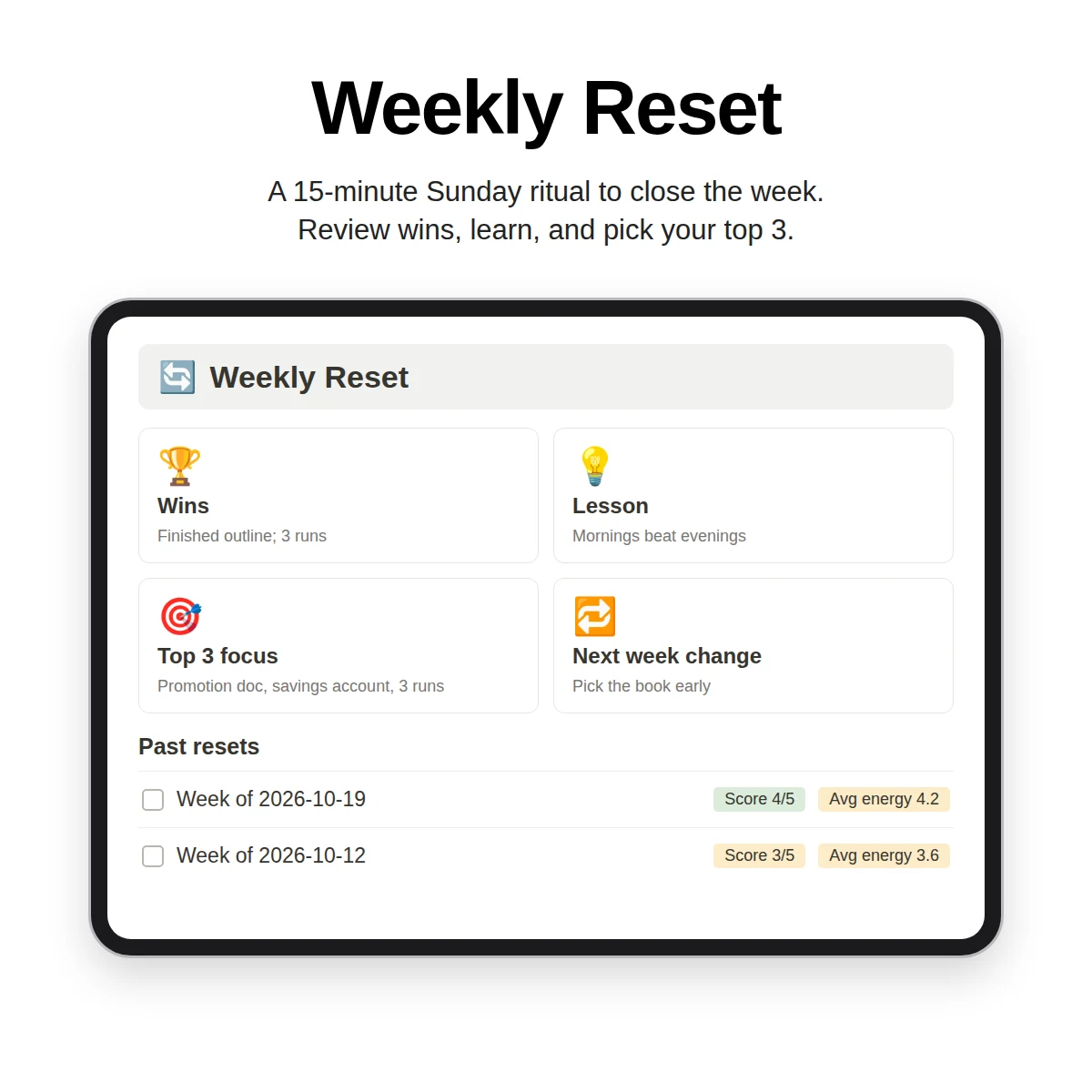
A weekly review in Notion needs just two things: a Weekly Reset database and a way to see the right tasks.
The database
Create a database where each row is one week. Useful properties:
| Property | Type | Purpose |
|---|---|---|
| Week | Title | Name such as "Week of Oct 27" |
| Week start | Date | Sorting and calendar view |
| Top 3 focus | Text | The three chosen tasks |
| Wins | Text | What went well |
| Lesson | Text | What you learned |
| Next week change | Text | One adjustment |
| Score (1-5) | Number | Rating of the week |
| Journal entries | Relation | Links to daily entries |
| Avg energy | Rollup | Average of linked entries' energy |
The views
- Tasks > Weekly focus: tasks with a "Weekly focus" checkbox ticked.
- Notes > Inbox: notes with no project, to be emptied in step 1.
- Projects > Active: a board of active projects for step 2.
- Calendar: for scheduling in step 5.
The routine
Open a new row, run the five steps in order, tick the three focus tasks, close the row. Over time the database becomes a log of your year, and a monthly or quarterly review can look back across it. The Notion planner guide shows how the weekly review fits with daily and monthly plans.
Make it stick
- Attach it to something. Right after Friday lunch, or right after the Sunday dinner dishes.
- Set a repeating calendar event with the link to the review page.
- Start small. Even five minutes beats a perfect review you never do.
- Reduce the setup. The fewer clicks to start, the more likely you are to begin.
- Pair it with a habit tracker, so you can see how routines held up across the week. See the habit tracker guide.
When the review shows a problem
- The inbox is huge: do a one-time cleanup, then keep it at zero weekly.
- You are always behind: count how many tasks you add versus finish. You may be planning more than fits.
- Nothing is linked to a goal: revisit your areas and goals with the life organization guide.
What Clarity OS adds
Clarity OS includes a Weekly Reset page that runs this exact five-step, 20-minute ritual, a Weekly Reset database with the properties above (week start, top three focus, wins, lesson, next-week change, score, linked journal entries and average energy), and a Tasks view for weekly focus. The library of 120 page templates includes Weekly Review, Monthly Review, Quarterly Planning and Annual Review pages, and a bonus PDF supplies 52 weekly reset prompts, one for each week of the year.
Start with the checklist. If it works, add the database; if the database works, add the rest. The aim is a calm, repeatable end to your week.